With a Hyper-V Rapid Recovery backup, you have the ability to restore individual files and folders from the backup using the "Object-Level" restore option. When restoring files and folders using the object-level capabilities, the restore works the same way as a File and Folder restore, only the data is restored from a Hyper-V Rapid Recovery backup. Object-level restores are intended for short-term retrieval and should not be counted on to restore older files and folder; for this, a File and Folder backup set would be appropriate. This guide will show you how to perform an object-level restore.
Directions
- Log into the management portal and go to the Manage tab. Navigate to the computer account on which you want to perform an object-level restore.
- Go to the Restore tab and click on the
 button next to Hyper-V Rapid Recovery in the Restore Selections section.
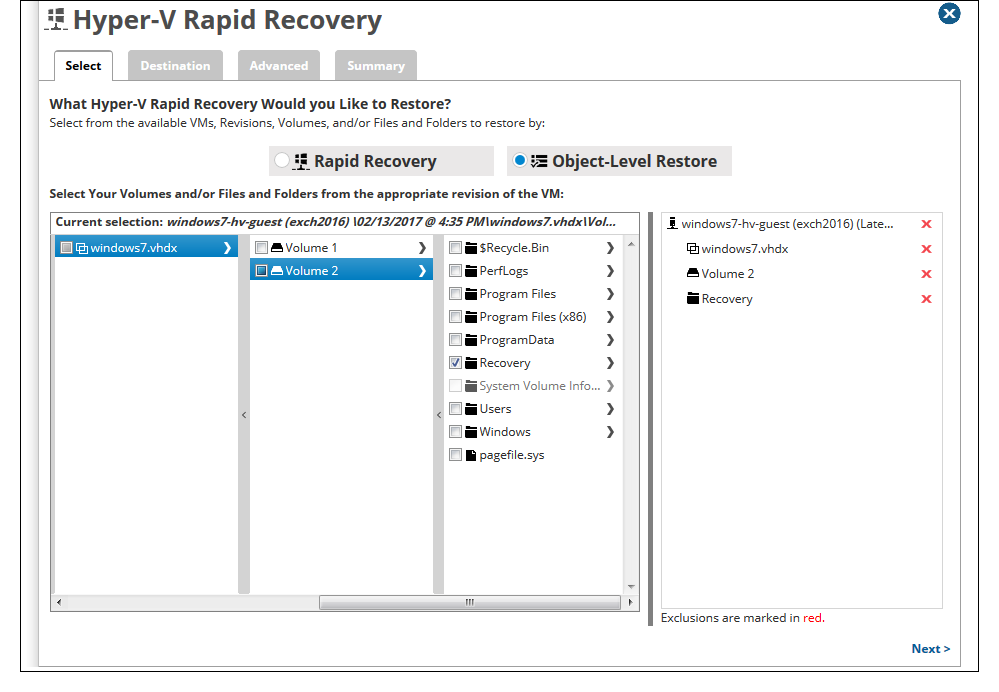
 - Select Object-Level Restore from the top, choose the virtual machine you want to restore from and drill down until you get to the file(s) or folder(s) you need to restore. Place a check next to those items and hit Next.
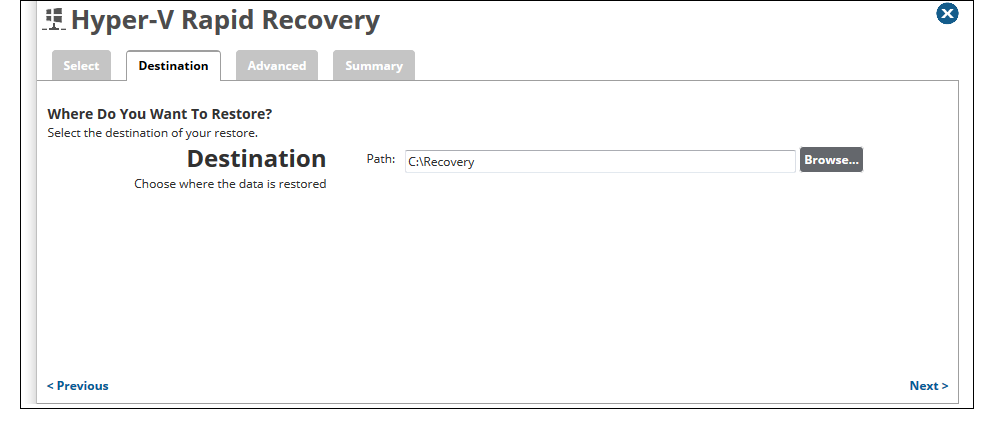
- Decide where you will restore the files or folders to by specifying a path (either a local path or UNC path) in the Destination field and click Next.
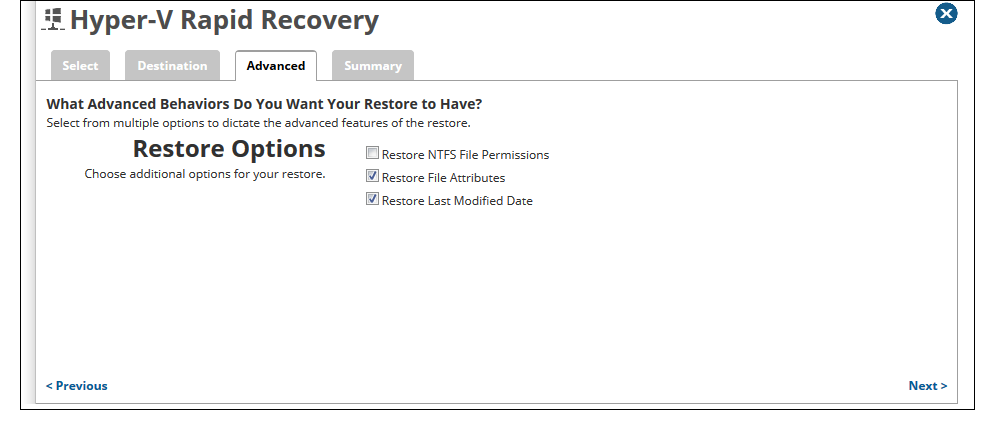
- On the Advanced tab, choose whether to restore NTFS permissions, file attributes, and/or last modified dates.
Click Next to see a summary of the restore job you configured or hit the Restore button to start the restore immediately.