




To retrieve authentication information from a macOS Directory server, configure it as an external LDAP authentication server.
Configure LDAP Authentication for macOS Directory Services
- Go to CONFIGURATION > Configuration Tree > Box > Infrastructure Services > Authentication Service
- In the left menu, select LDAP Authentication.
- Click Lock.
- Enable LDAP as external directory service.
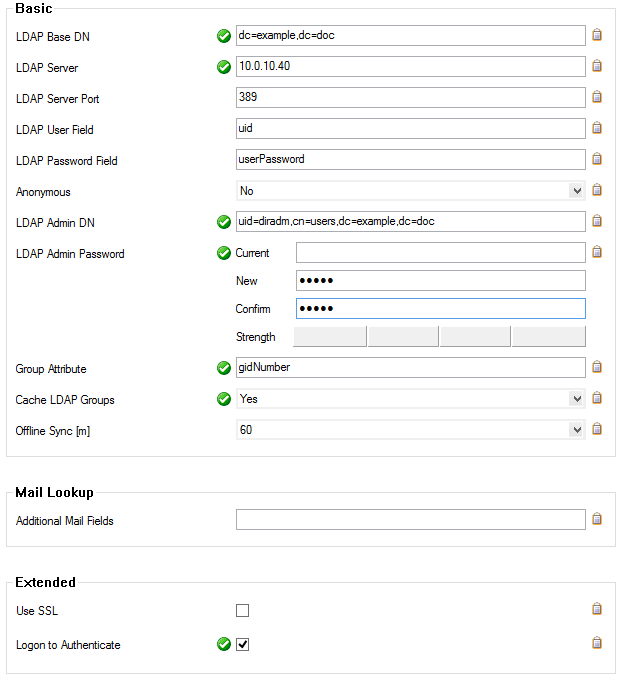
- In the Basic table, add a new entry for each Base DN. Configure the following settings:
- LDAP Base DN – Enter the distinguished name for the user organizational unit.
LDAP Server / Port – Enter the IP address and port for the macOS Directory server (default: port 389).
Anonymous – Select No.
LDAP Admin DN / Password – Name and password of the administrator authorized to perform LDAP queries.
- Group Attribute – Enter
gidNumber. - Cache LDAP Groups – Enable checkbox to display groups by name.
- Logon to Authenticate – Enable checkbox.
Click OK.
- Click Send Changes and Activate.
You can now retrieve authentication information from your macOS Directory server.