




If you use the BX500 hardware device, which includes a collector, you may need to generate a token to enroll it. See the Barracuda XDR BX500 Quick Start Guide for more information.
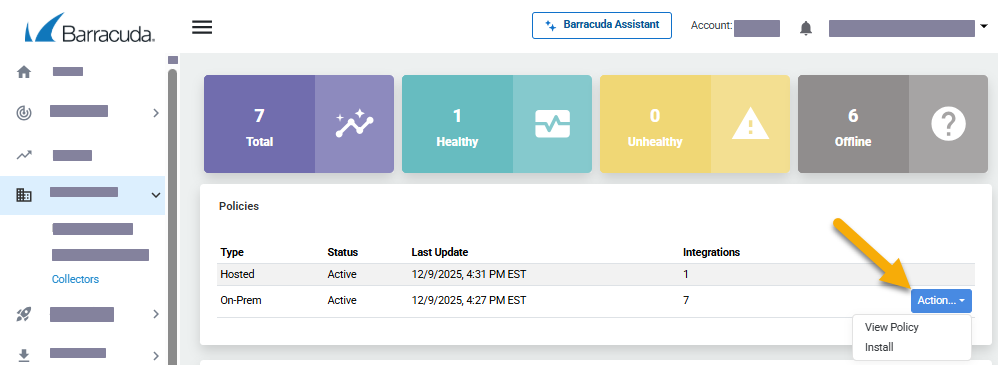
In Barracuda XDR Dashboard, click Infrastructure > Collectors.
In the Policies table, next to On-Prem, click Action > Install.
Click Token.
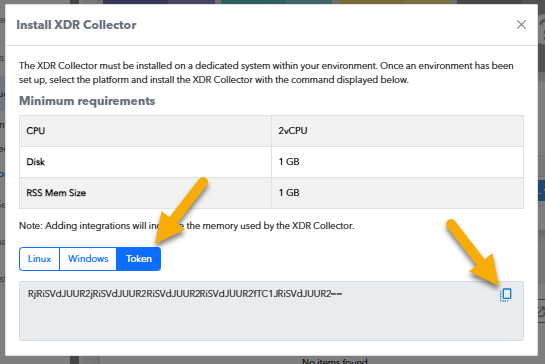
Copy the install command at the bottom of the dialog box.
Copy the enrollment token.
Return to your BX500 interface and, in the Enrollment row, paste the enrollment token in the field, then click the Enroll button.