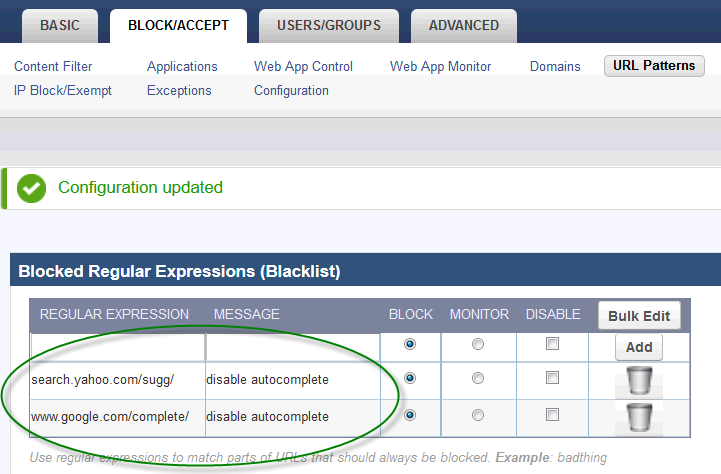
Blocking these URL patterns disables auto-complete for each search engine. Add these patterns manually to the BLOCK/ACCEPT > URL Patterns page if you want to disable auto-complete:
| Search Engine | URL Pattern to Block |
|---|---|
| www.google.com/complete/ | |
| Yahoo | search.yahoo.com/sugg/ |
| Bing | www.bing.com/AS/Suggestions? |
For example, the following two URL pattern entries on the BLOCK/ACCEPT > URL Patterns page disable auto-complete for Google and Yahoo.