
It seems like your browser didn't download the required fonts. Please revise your security settings and try again.
Barracuda Intronis Backup
formerly ECHOplatform

Barracuda Campus is getting an upgrade!

We are excited to announce that Barracuda Campus will migrate to a new platform around mid-January 2026. Please see the announcement on the Campus Dashboard to find out more.

How do I delete a backup set?

  • Last updated on

To delete a backup set, click on the "X" button next to the backup set from the Backup tab on a computer account page.
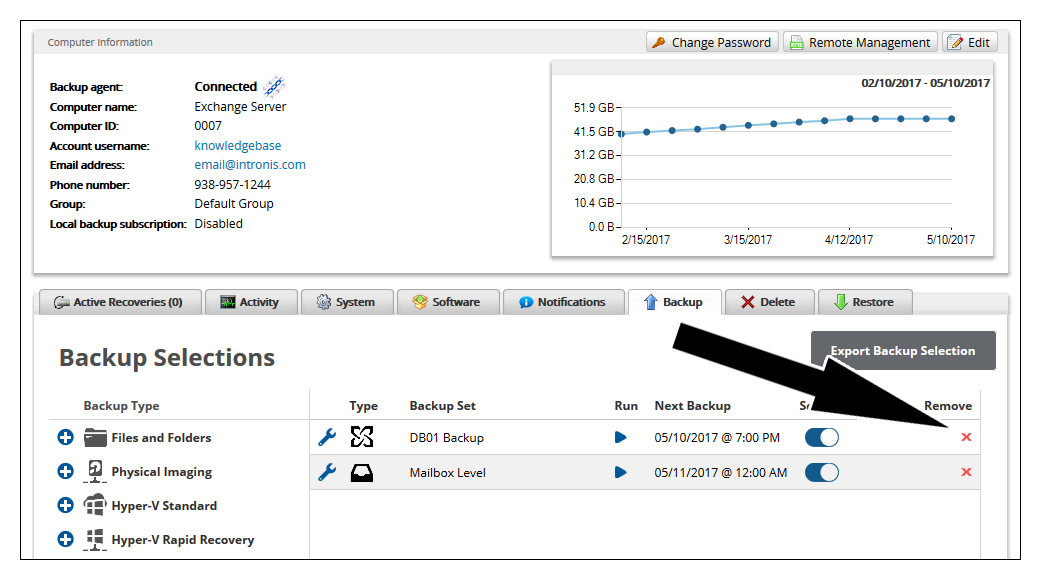
 deletebackupsetnew.png

Please note that deleting a backup set does not necessarily delete the data associated with that backup; this only happens if you choose to delete the data manually or check the option to delete the data when the backup set is deleted (if prompted).