



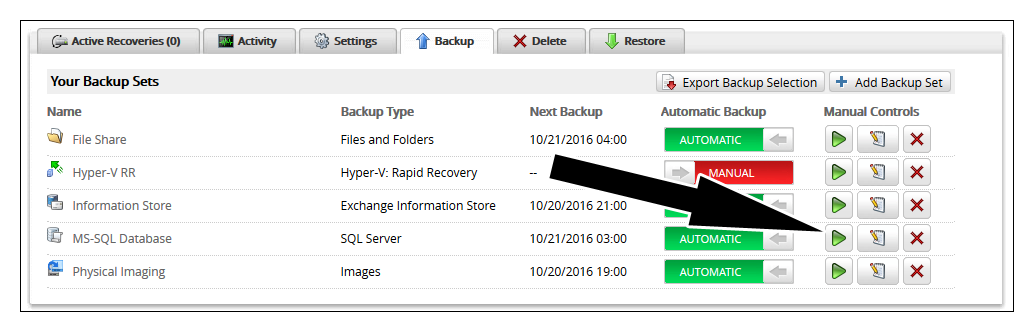
To start a backup job, click on the green arrow button next to the backup set in the Backup tab.
To cancel a backup job, click on the red square button next to the backup set in the Backup tab.

Barracuda Campus is getting an upgrade!
We are excited to announce that Barracuda Campus will migrate to a new platform around mid-January 2026. Please see the announcement on the Campus Dashboard to find out more.
To start a backup job, click on the green arrow button next to the backup set in the Backup tab.
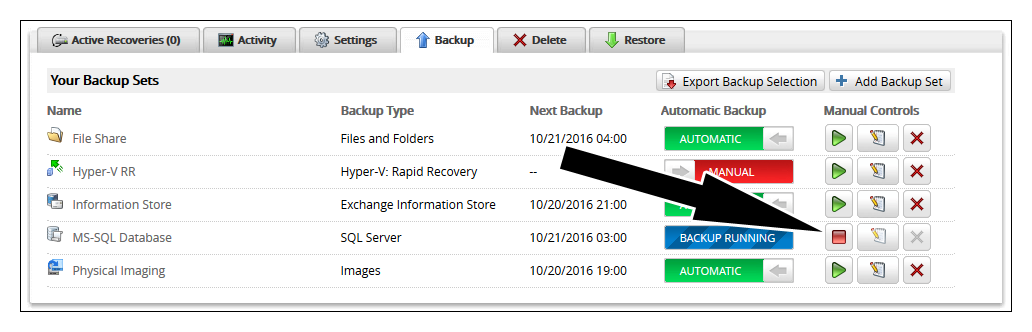
To cancel a backup job, click on the red square button next to the backup set in the Backup tab.