
It seems like your browser didn't download the required fonts. Please revise your security settings and try again.
Barracuda MSP App

Barracuda Campus is getting an upgrade!

We are excited to announce that Barracuda Campus will migrate to a new platform around mid-January 2026. Please see the announcement on the Campus Dashboard to find out more.

Editing Partner Billing information

  • Last updated on

To edit billing information, perform the following steps.

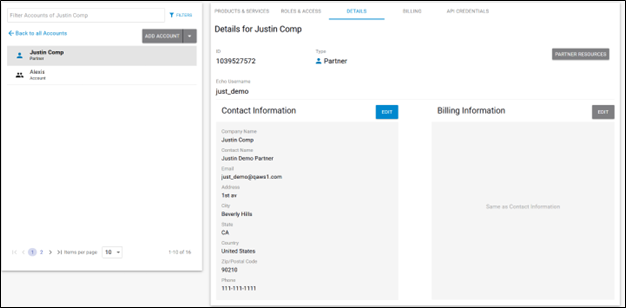
  1. Select the Partner in the left pane and click Details.
    The Partner Details page is displayed.
    campus partner details page alt.png
  2. Select the Billing Information Edit button if displayed.

    If the Billing Information Edit button is not displayed, select the Contact Information Edit button.

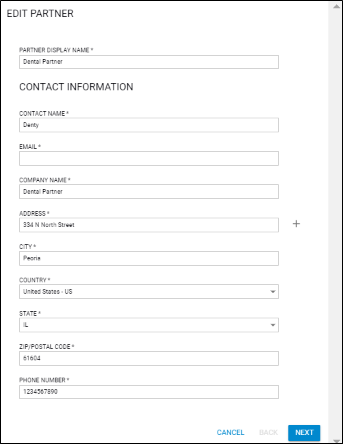
    The Edit Partner form is displayed.
    campus edit partner.png

    Click Next.

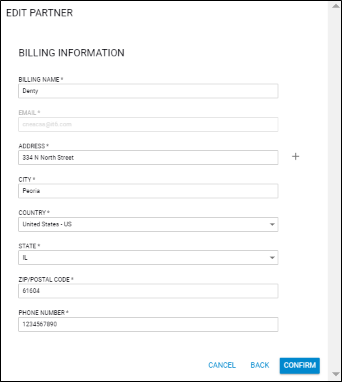
    The Billing Information page is displayed.
    campus edit partner billing.png

  3. Make your edits and click Confirm.