




When you perform a Hyper-V Virtual Machine restore, you are presented with the following recovery options for the Hyper-V VM you are creating:
- Sandboxed test recovery is useful during tests or demonstrations because a recovery VM that is disconnected from the production network is created. This option ensures the production system’s network connectivity is not interrupted by the test restore.
- Production recovery is used to minimize downtime during a disaster. The recovered VM can be set to connect to a user-defined external virtual switch. This feature ensures that the recovered VM is connected to the appropriate network when powered on.
Hyper-V Virtual Machine Restore Tabs
Physical Imaging Standard Virtual Machine Restore Tabs.
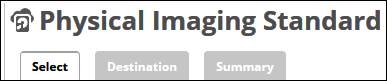
The following table provides a description of the tab page features.
| Page | Description |
|---|---|
| Select | Select at least one available volume/revision to restore to the VM. |
| Destination | Choose where the data is restored. Select how to verify and recover your data to the restore destination.
|
| Summary | A list of your selections is displayed. |