Example Use Case
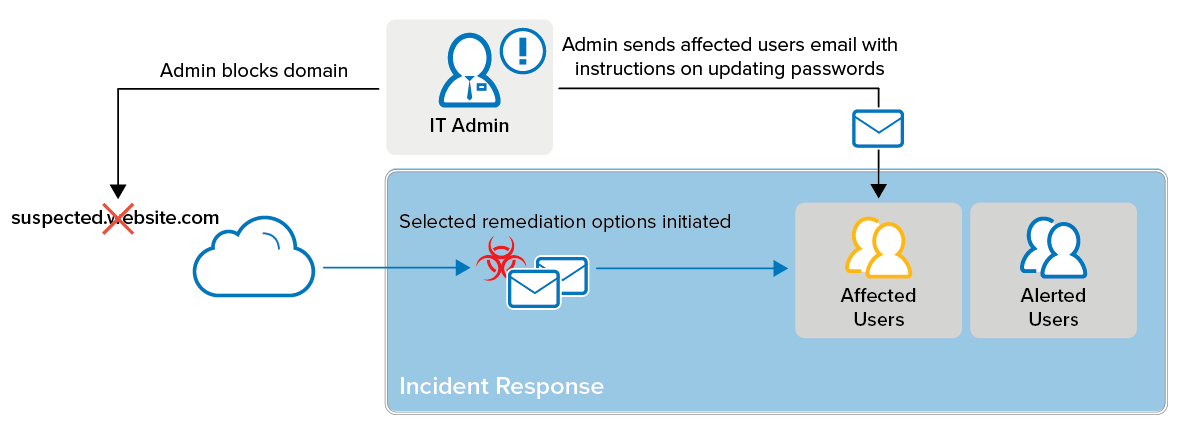
Organization A is hit with a phishing attack from outside the company. The IT team is alerted by an internal user who received the email containing the attack. The IT team must do the following:
Determine all recipients that received the attack based on the email subject or sender email
Alert the recipients that received the email in question that they need to change their password and delete the offending email
Create rules to block future emails from this sender or this sender's domain.
The IT team performs Incident Response tasks including:
Identifying affected users and providing instructions on updating passwords
Creating rules in Barracuda Networks to block future emails from this sender or this sender's domain.
Creating rules that block web access to domains found in the email body.*
Determining if additional security training is necessary, using Security Awareness Training.*
* This functionality requires any of the currently available Barracuda Email Protection Plans or the legacy Premium or Premium Plus plans.