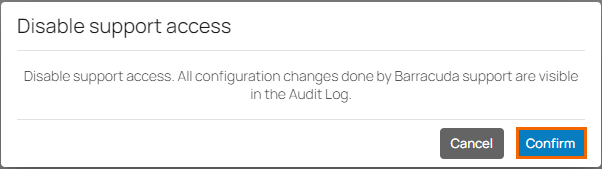
Enable Support Access to allow Barracuda Networks Support technicians to access your Barracuda SecureEdge Manager and make configuration changes on your behalf. Any configuration changes done by Barracuda Networks Support are tracked in the Audit log.
Enable Support Access
Go to https://se.barracudanetworks.com and log in with your existing Barracuda Cloud Control account.
In the bottom-left corner of the window, click the Profile icon.
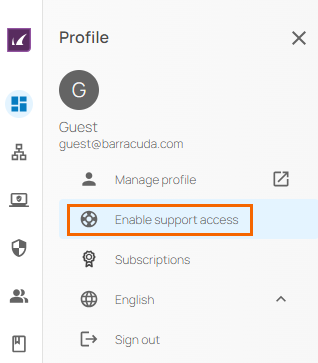
The Profile menu opens. Select Support Access.
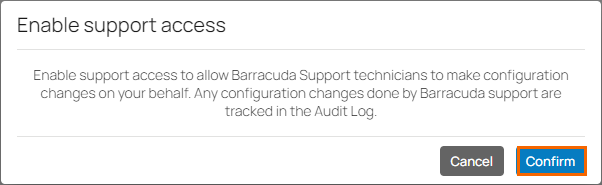
Click Confirm.
Disable Support Access
Go to https://se.barracudanetworks.com and log in with your existing Barracuda Cloud Control account.
In the bottom-left corner of the window, click the Profile icon.
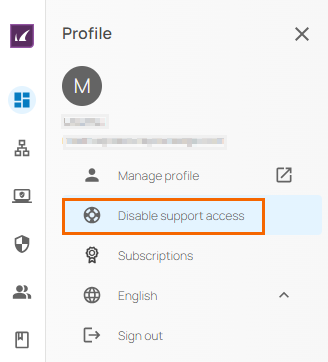
The Profile menu opens. Select Disable Support Access.
Click Confirm again to disable Support Access.