
It seems like your browser didn't download the required fonts. Please revise your security settings and try again.
Barracuda Intronis Backup
formerly ECHOplatform

You are currently viewing the legacy Barracuda Campus portal

Due to ongoing compatibility requirements during the migration, some users are still being redirected here. All content is being transitioned to the new Campus Training Portal and Campus Documentation Portal, and this legacy portal will be fully retired once the migration is complete.

Please visit https://campus.barracuda.com for more information.

Exporting a Computer Account's Backup Selection

  • Last updated on

To see details about all backup sets present on a computer account, you can export the backup selection. This export includes information about backup set schedules, data selected to be backed up, and what kind of archiving rules are applied to backup sets.

Directions


  1. Log in to the management portal and go to the computer account whose backup selection you want to view.
  2. Go to the Backup tab and click on the Export Backup Selection button.
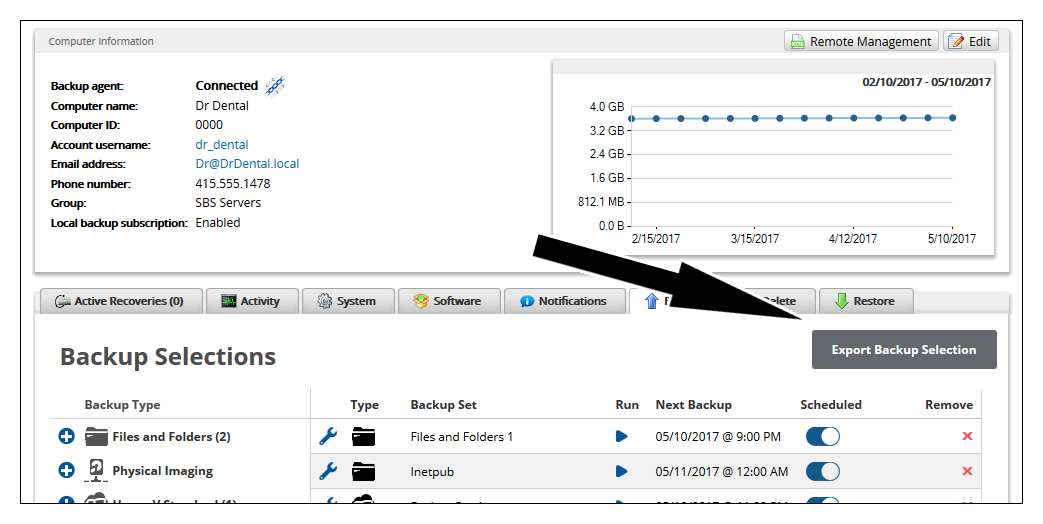
    exportbackupselection1new.png
  3. The backup selection report will be generated in a new window. You can print the report or export it as an (.xml) file.
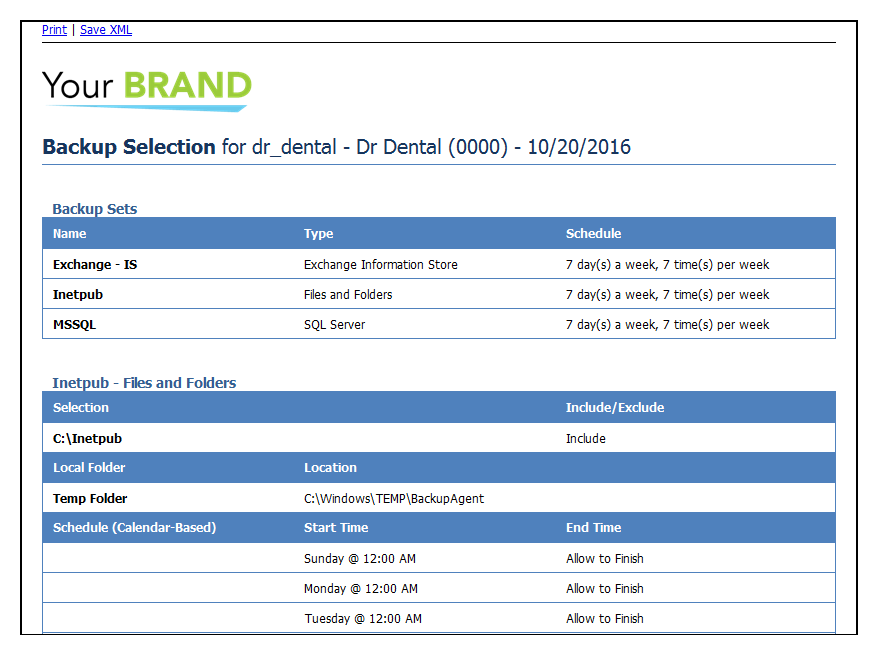
    exportbackupselection2.png