




To assign Products & Services, perform the following steps.
At the Partner Products & Services list, select the subpartner you want to assign products or services to or click the Subpartners Catalog button.
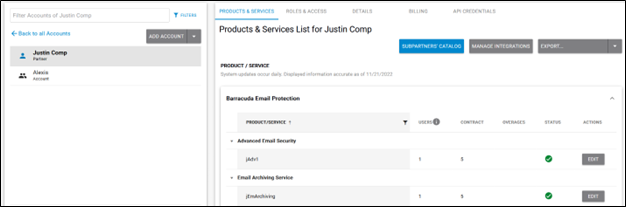
The Subpartner Catalog pop-up is displayed.
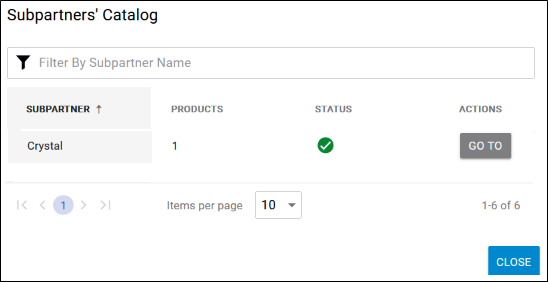
At the subpartners listing, select a subpartner, and then click the Go To button.
The Subpartner Product & Services List is displayed.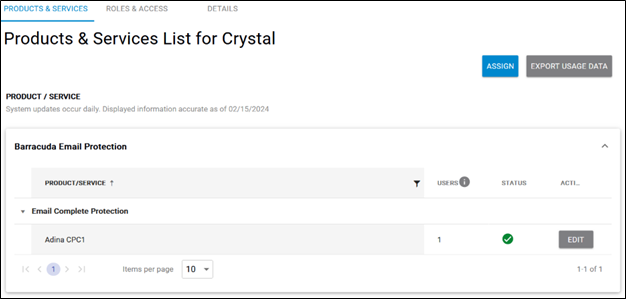
The Product & Services List is displayed.
Click the Assign button.
The Assign Product/Service pop-up is displayed.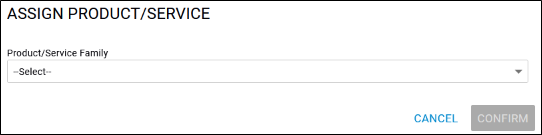
Click the Product/Service Family down arrow.
The family services available are displayed.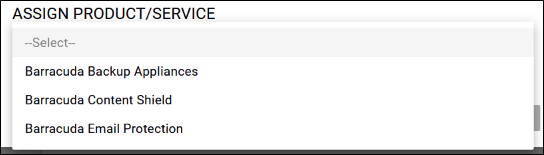
Select the Product/Service family you wish to assign.
The Product/Service field is displayed.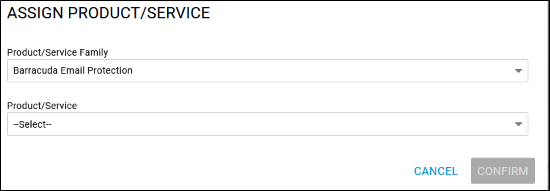
Click the Product/Service down arrow.
The Product/Service options available are displayed.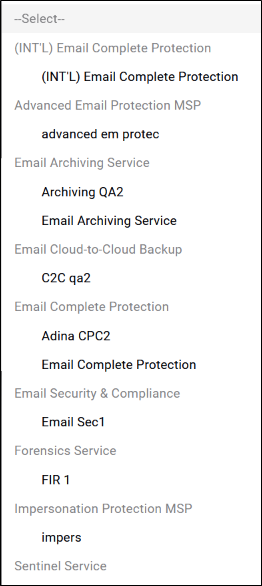
Select the Product/Service option to be assigned.
The Product/Service option you selected is displayed.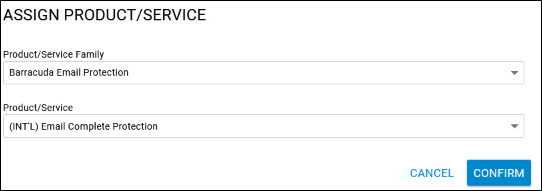
Click the Confirm button.
The Product/Service is displayed on the Product & Services page.