




This article applies to Microsoft Exchange 2010 Message-Level backup.
When the NT AUTHORITY/SELF permission is removed from a user, 'EWS connection error' is generated in an Exchange 2010 Message-Level backup:

To resolve this error:
- Log in to the Exchange server, and open the Exchange Management Console (EMC).
- Expand Recipient Configuration, and click Mailbox.
- Navigate to and right-click the user, and click Manage Full access Permission.
- Verify that the NT AUTHORITY/SELF permission is missing from the list, and then click Add.
- Type self in the search field, and click Find Now:
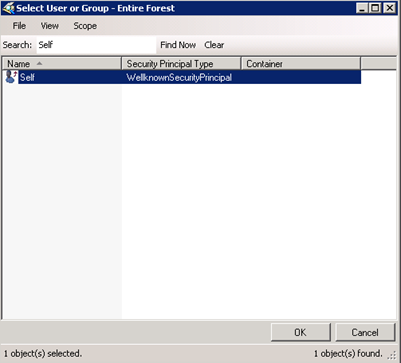
- Click OK. The permission is added to the list:
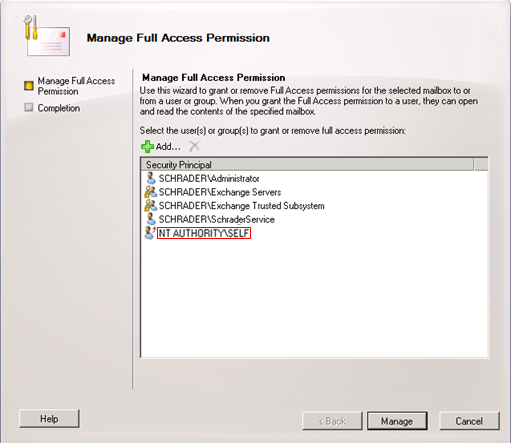
- Click Manage, and then click Finish to update the user permissions.