
It seems like your browser didn't download the required fonts. Please revise your security settings and try again.
Barracuda Load Balancer

Barracuda Campus is getting an upgrade!

We are excited to announce that Barracuda Campus will migrate to a new platform around mid-January 2026. Please see the announcement on the Campus Dashboard to find out more.

Understanding HTTP Caching

  • Last updated on
Use the WEBSITES > HTTP Caching page to edit caching parameters for a Service or Rule:
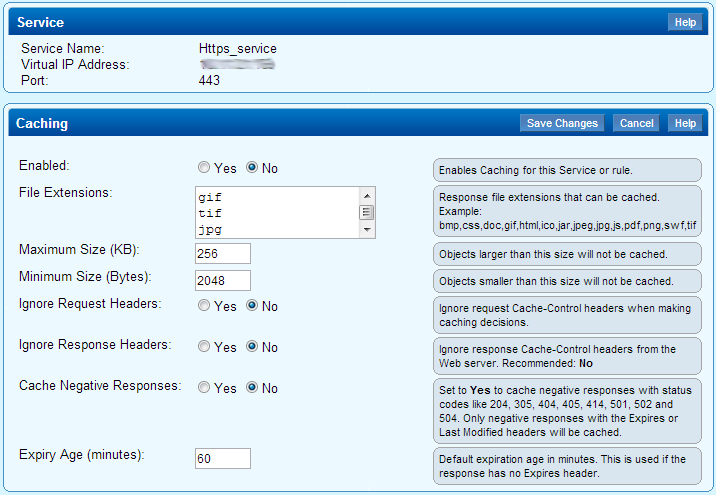
http caching page.png
From this page you can set the following parameters:
  • Enable/disable caching for the Service or Rule
  • Specify response file extensions that can be cached
  • Specify maximum and minimum object size for caching
  • Specify whether to ignore request headers, response headers, and negative responses
  • Enter the default cached object expiration age

For more information on editing caching parameters for a Layer 7 HTTP or HTTPS Service or Rule, log into the Barracuda Load Balancer web interface, go to the WEBSITES > HTTP Caching page, click the Edit icon next to the Service or Rule you wish to change, and then click the Help button.