




SecureEdge Agents can be deployed via endpoint management solutions (e.g., Microsoft Intune or other MDM solutions). Devices must be provisioned with either a client certificate or token for authentication. You can enroll the SecureEdge Access Agent if the endpoint device has a valid certificate installed. The Barracuda SecureEdge Manger lets you configure certificates and a domain used for unattended enrollment.
Add Certificates and Domain Configuration
Go to https://se.barracudanetworks.com and log in with your existing Barracuda Cloud Control account.
The chosen Tenant/Workspace is displayed in the top menu bar.
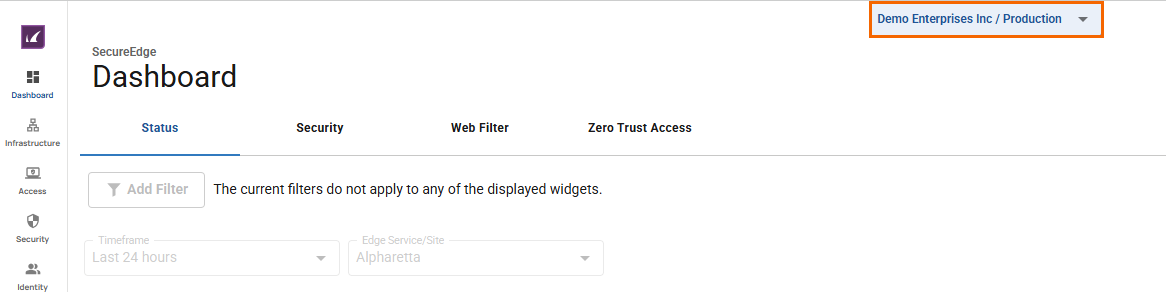
From the drop-down menu, select the workspace your SecureEdge Access should be configured for.
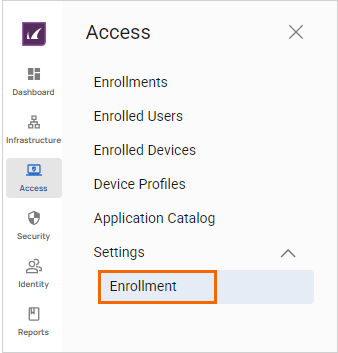
Go to Access > Settings.
Expand the Settings menu on the left and select Enrollment.
The Enrollment Settings page opens. Click Enrollment Settings.
To add certificates for unattended enrollment, follow these steps:
In the Enrollment settings section, under Certificates, click Add Certificate. Note: you must add a valid certificate.
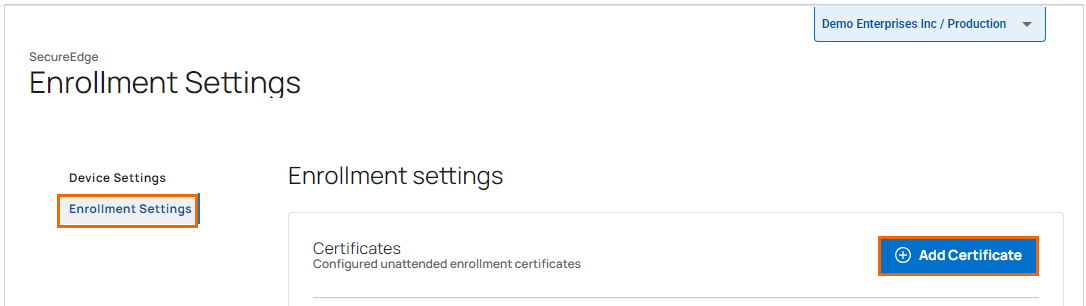
Add your certificates. Repeat to add more certificates.
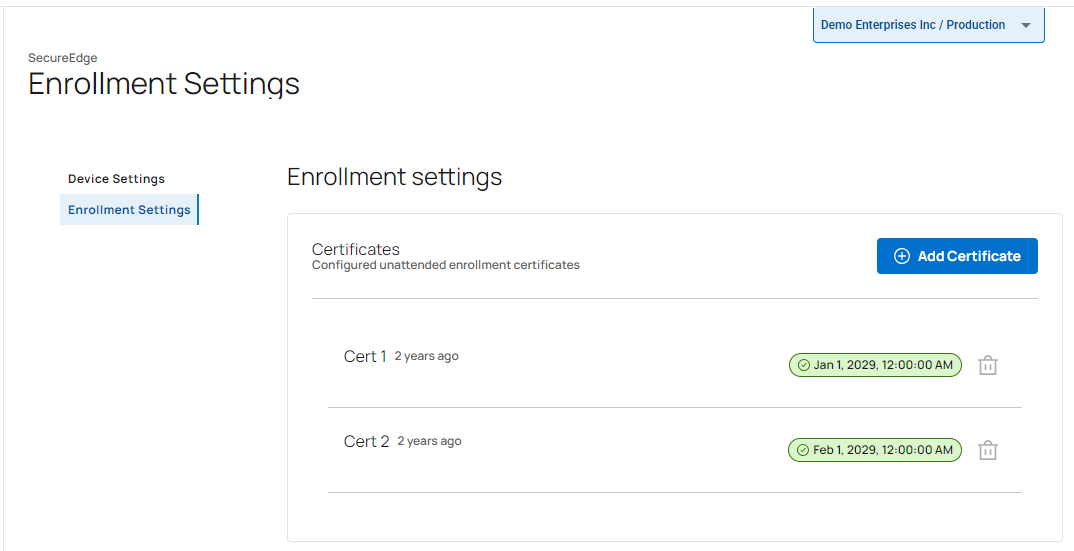
Your certificates are added to the Certificate table. Note: You cannot remove an enrolled certificate.
To add a domain for unattended enrollment of devices, do the following:
In the Enrollment settings section, under Domain, specify a value for the following:
Domain – Enter a unique domain used for unattended enrollment of devices.
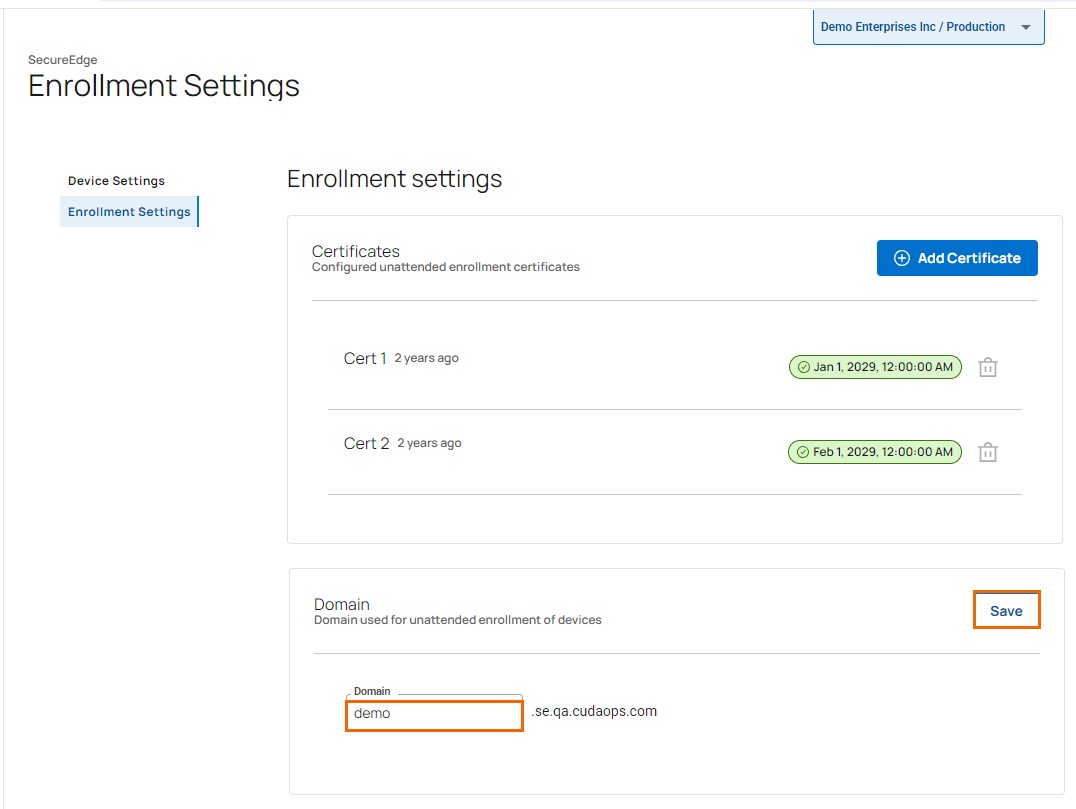
Click Save.