
It seems like your browser didn't download the required fonts. Please revise your security settings and try again.
Barracuda XDR

You are currently viewing the legacy Barracuda Campus portal

Due to ongoing compatibility requirements during the migration, some users are still being redirected here. All content is being transitioned to the new Campus Training Portal and Campus Documentation Portal, and this legacy portal will be fully retired once the migration is complete.

Please visit https://campus.barracuda.com for more information.

Removing a Threat from the Allow List

  • Last updated on

When you remove a threat from the Allow List, Barracuda XDR doesn't create alerts for that threat again and the files that were quarantined are removed from quarantine.

If you want to re-add the threat later, follow the To add a threat to the Allow List procedure on the Adding a Threat to the Allow List page.

You can filter the Allow List page to help you find the threats you're looking for. For more information, see Filtering the Allow List Page.

To remove a threat from the Allow List
  1. In Barracuda XDR Dashboard, click Administration > Allow List.

  2. In the table, click the row of the threat you want to remove from an Allow List.

  3. In the top right corner, click Remove from Allow List.
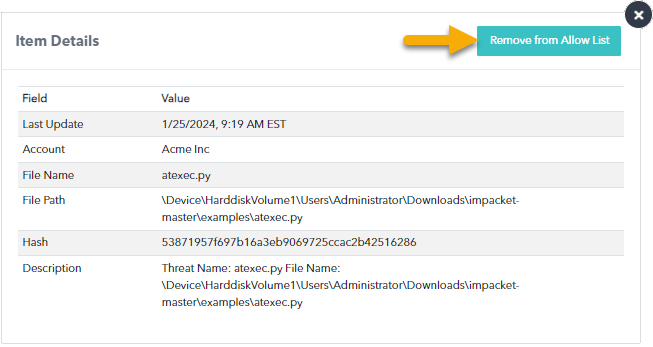
    Remove from Allow List.png
  4. Click Confirm.