

To export the User Access Report, perform the following steps.
- Access the report. See Viewing the User Access Report.
The report is displayed.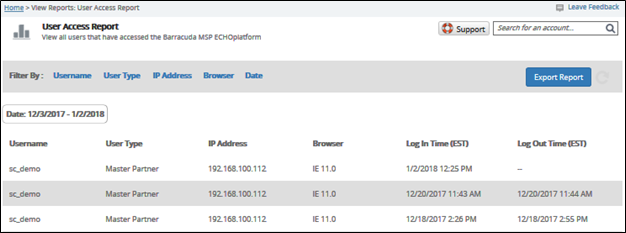
- Click the Export Report button.
A .CSV file is saved to your Download folder.



You are currently viewing the legacy Barracuda Campus portal
Due to ongoing compatibility requirements during the migration, some users are still being redirected here. All content is being transitioned to the new Campus Training Portal and Campus Documentation Portal, and this legacy portal will be fully retired once the migration is complete.
Please visit https://campus.barracuda.com for more information.
To export the User Access Report, perform the following steps.